
To begin using the KenzusTV service on your BuzzTV Box, Follow the steps below for easy setup:
Set up your BuzzTV box with The portal URL (Highly recommended):
In Some buzzTV Models
Go to Live TV section.
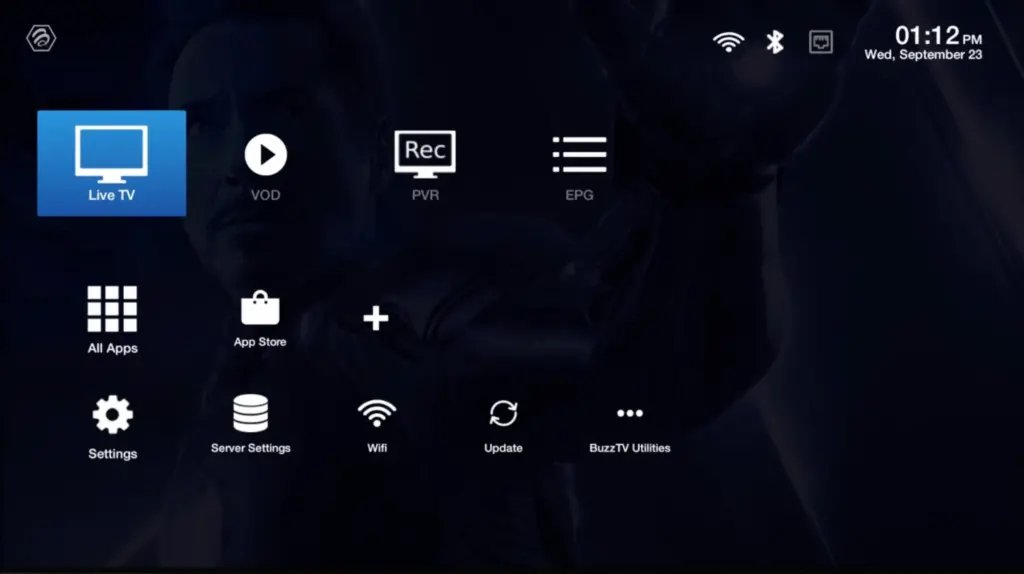
Select 'Server Line' or 'MAC Server'.
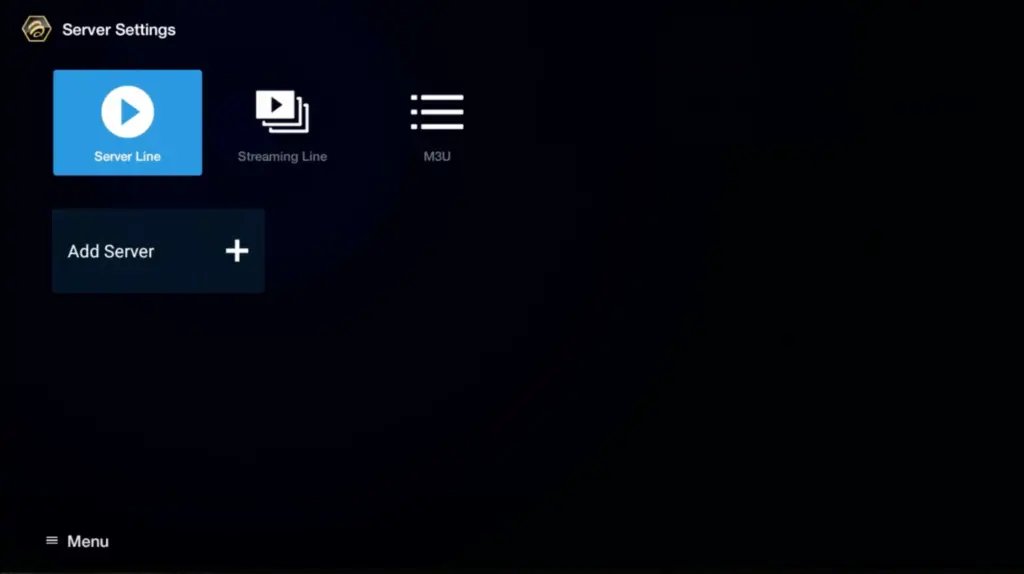
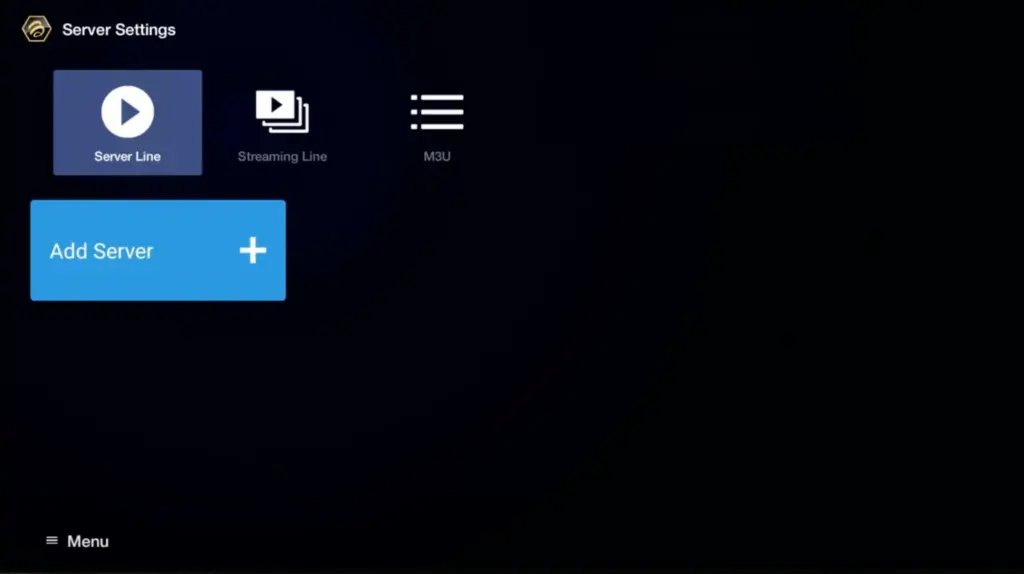
Click on 'Add Server' or 'Add MAC Server'.
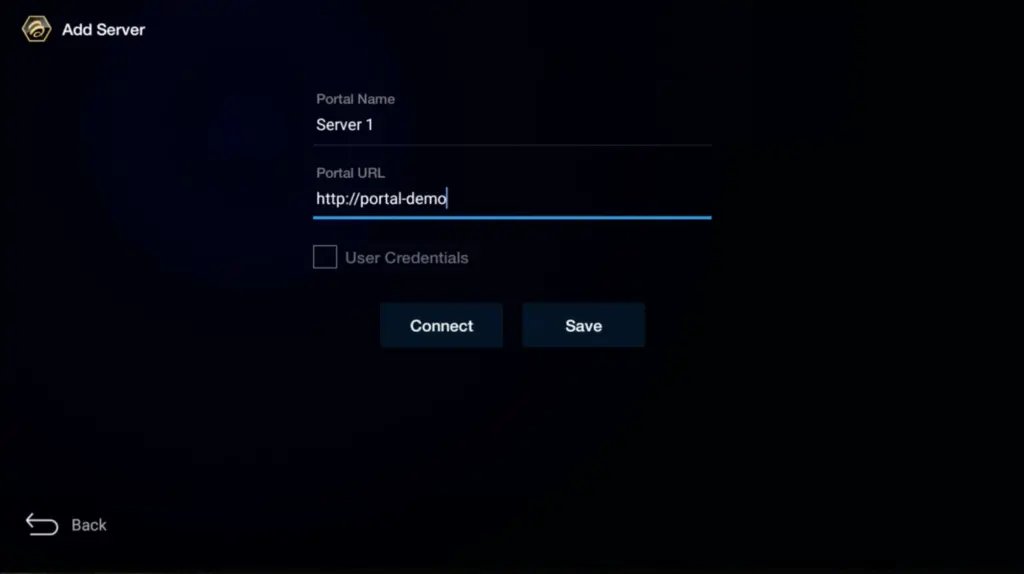
Enter 'KenzusTV' as the Portal Nickname in the first box. Then in the second paste the Portal URL provided by us after subscribing and Click on 'CONNECT'.
Congratulations! You've now completed the setup of your BuzzTV Box for seamless streaming.
Another set up:
In Other buzzTV Models
On the main menu, click on 'Settings'.
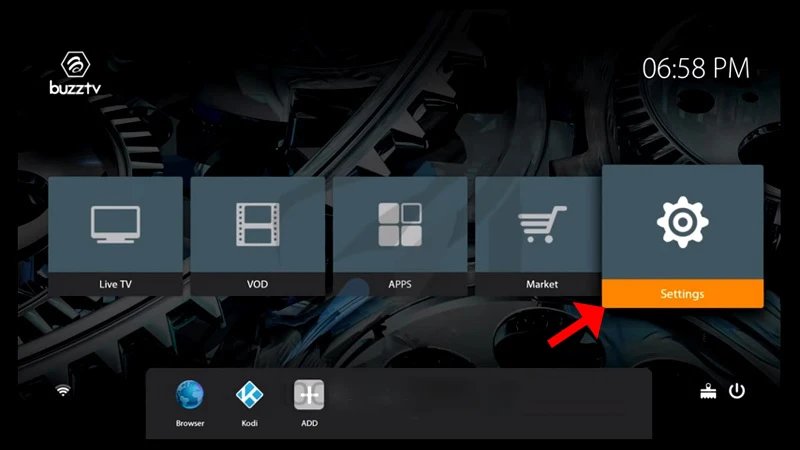
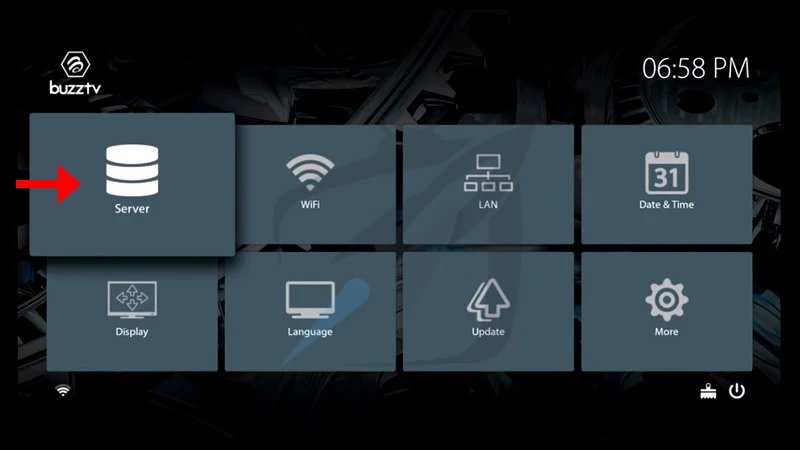
Then click on 'Servers' and proceed to the next step.
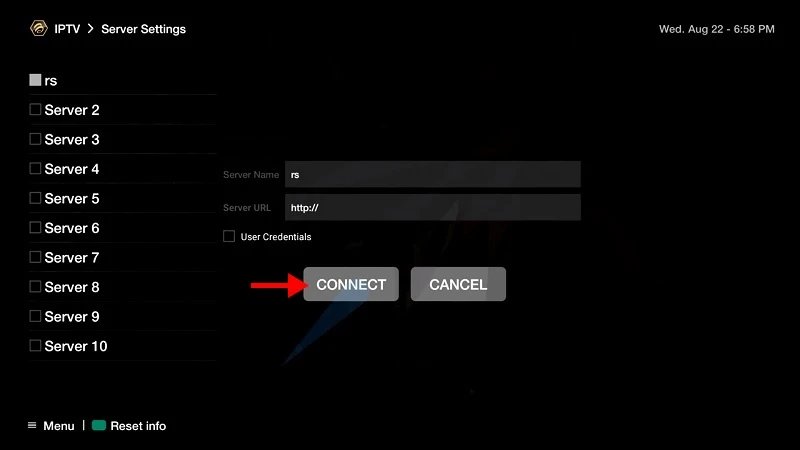
Enter 'KenzusTV' as the Server Name in the first box. Then in the second the Portal URL (server URL) provided by us after subscribing and Click on 'CONNECT'.
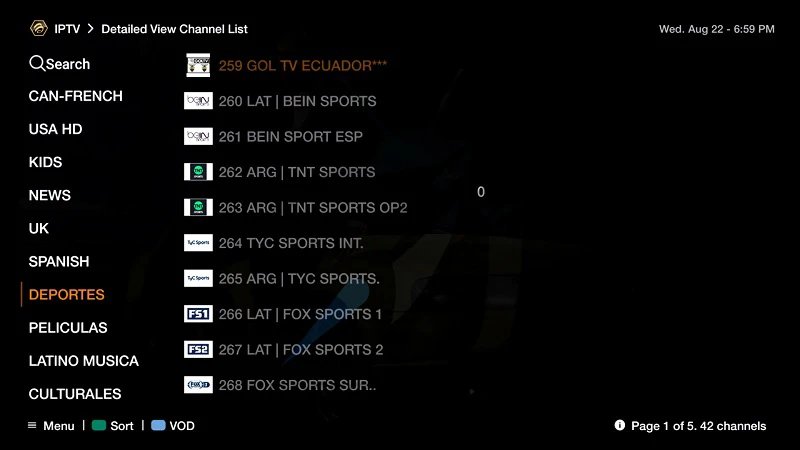
Congratulations! You've now completed the setup of your BuzzTV Box for seamless streaming.