To run KenzusTV service on your Firestick, simply download the Downloader app and use it to install the IPTV players. Just follow these easy steps:
Open the FireStick home screen.
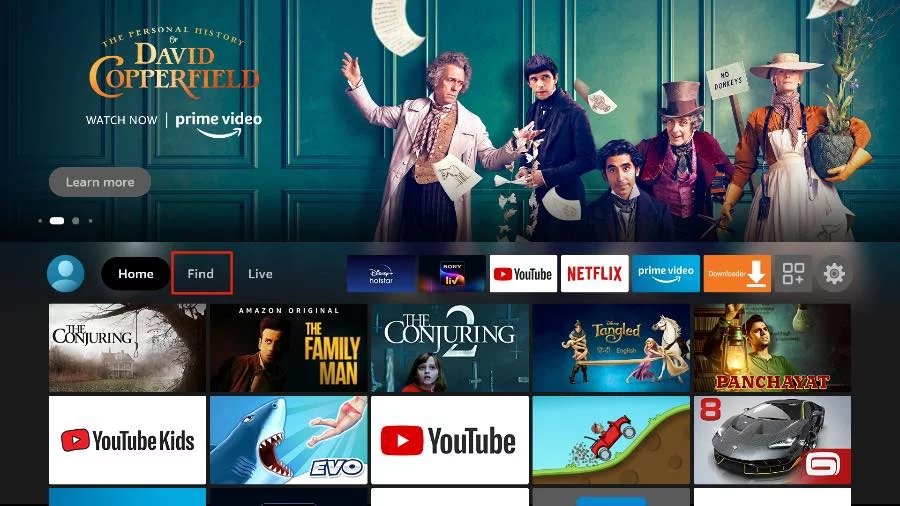
Go to the Find menu page.
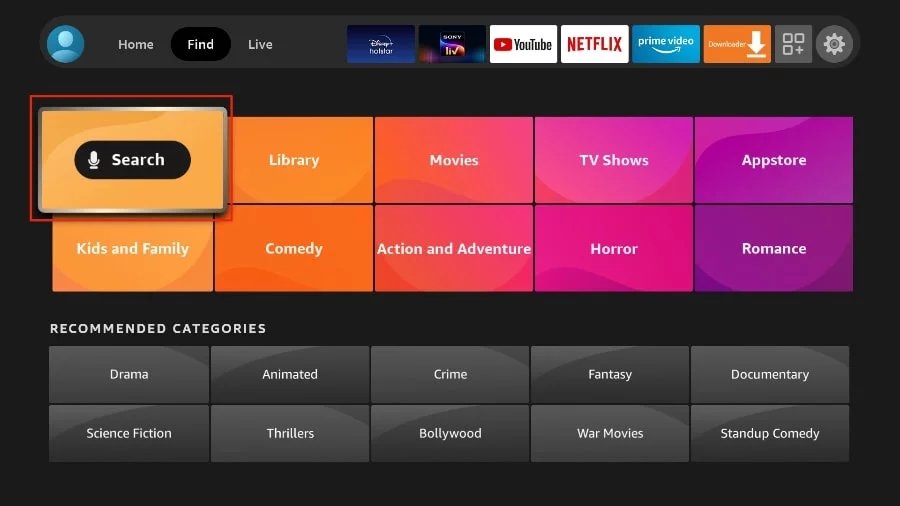
Select Search at the top.
This will open a virtual keyboard on your FireStick.
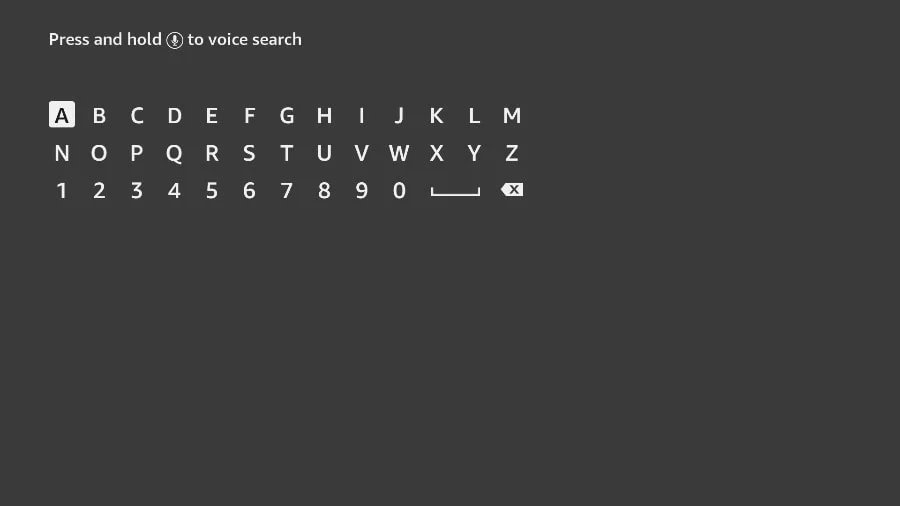
Start typing Downloader. Select Downloader when it appears among the suggestions below the keyboard.
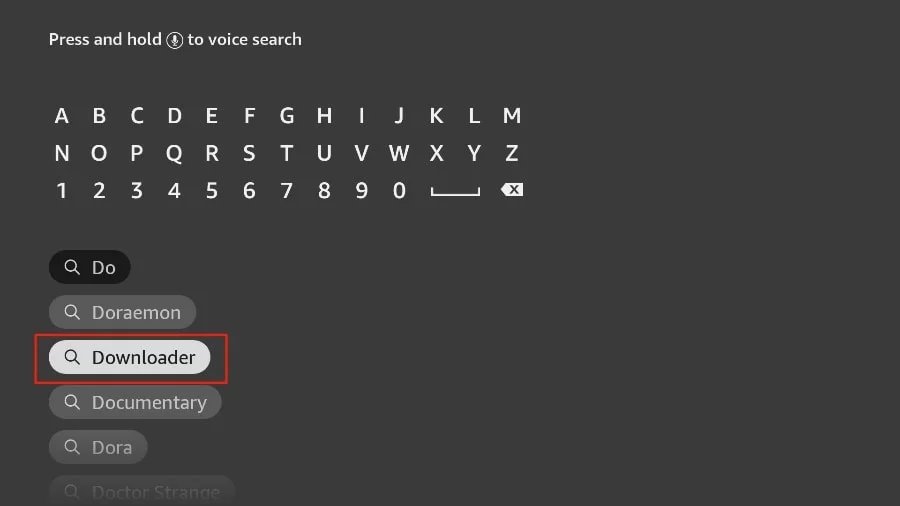
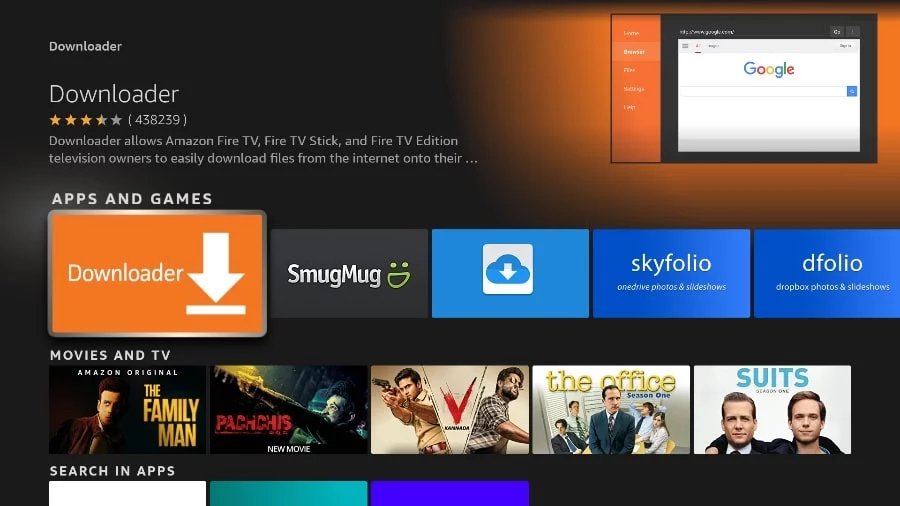
Select the Downloader application, recognizable by its orange background. Then, in the next screen, select the Get or Download button.
Press home button on your FireStick remote.
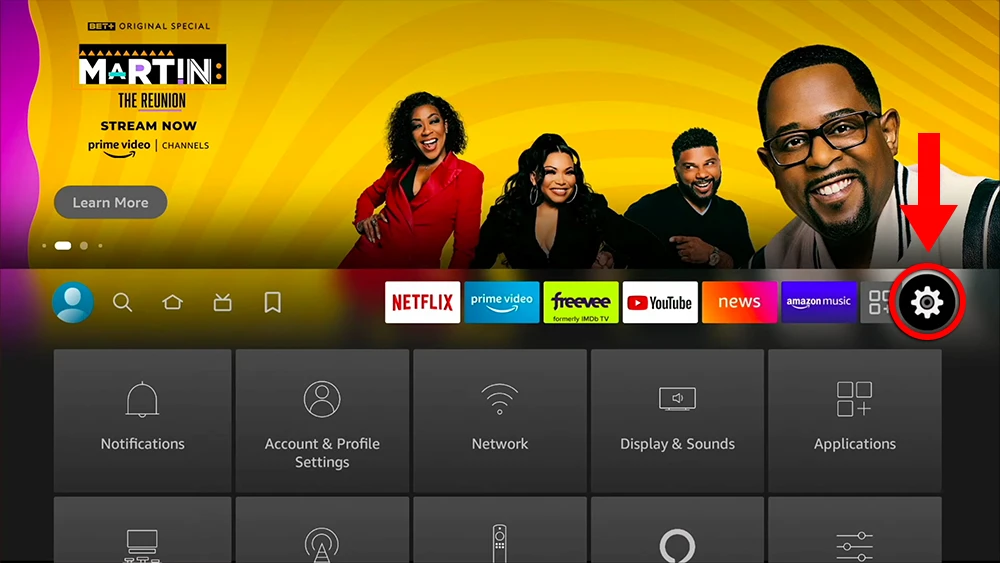
Go to the gear settings page on the far right.
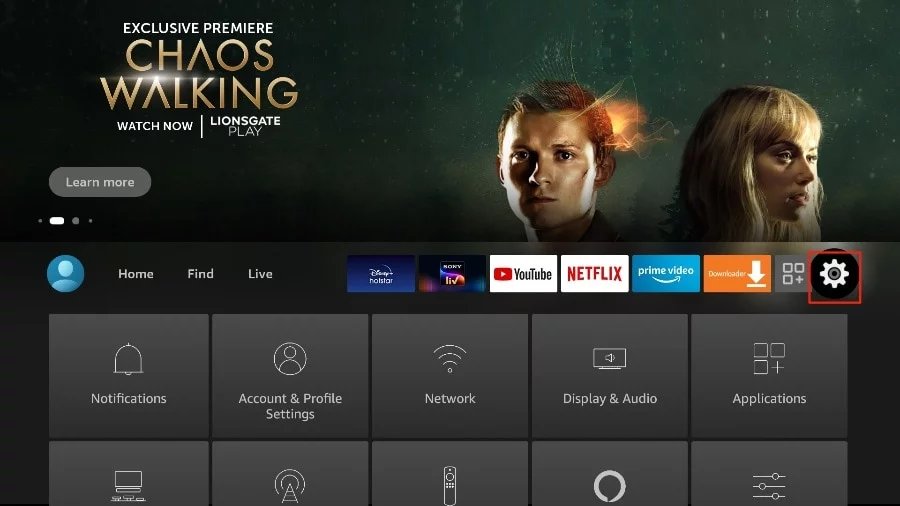
Go to the gear/settings page on the far right.
Scroll down and select My Fire TV.
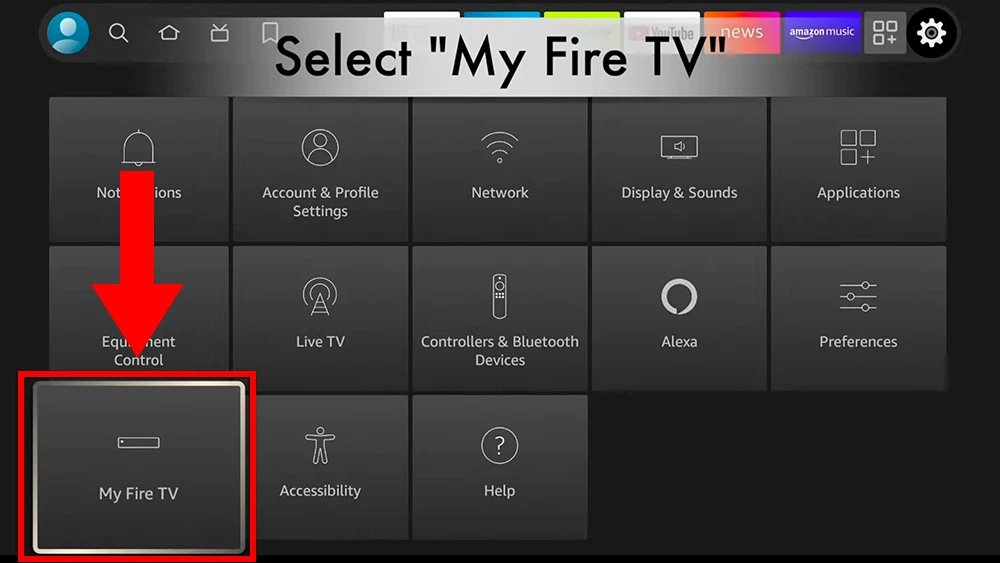
Select About.
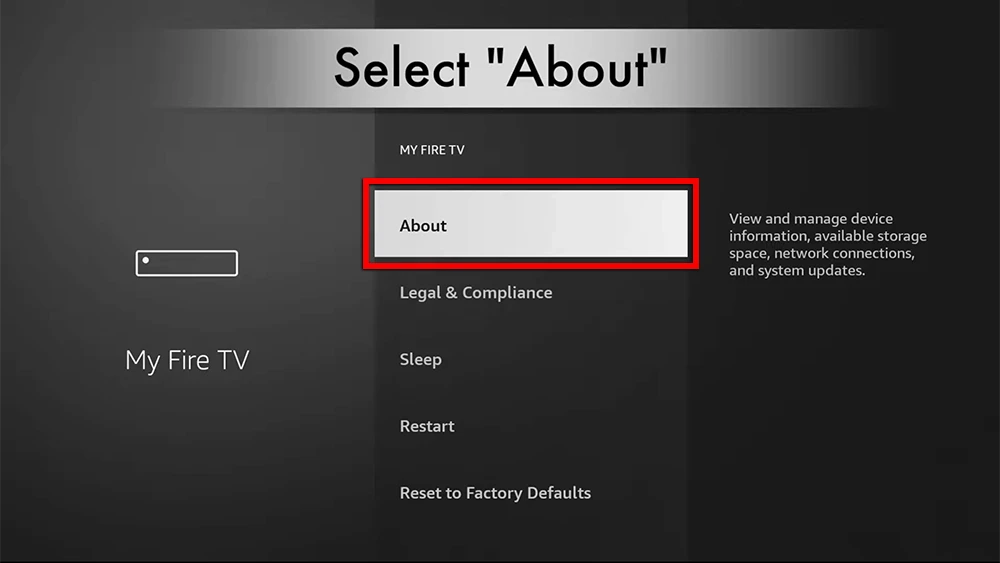
Click on Fire TV Stick 7 times.
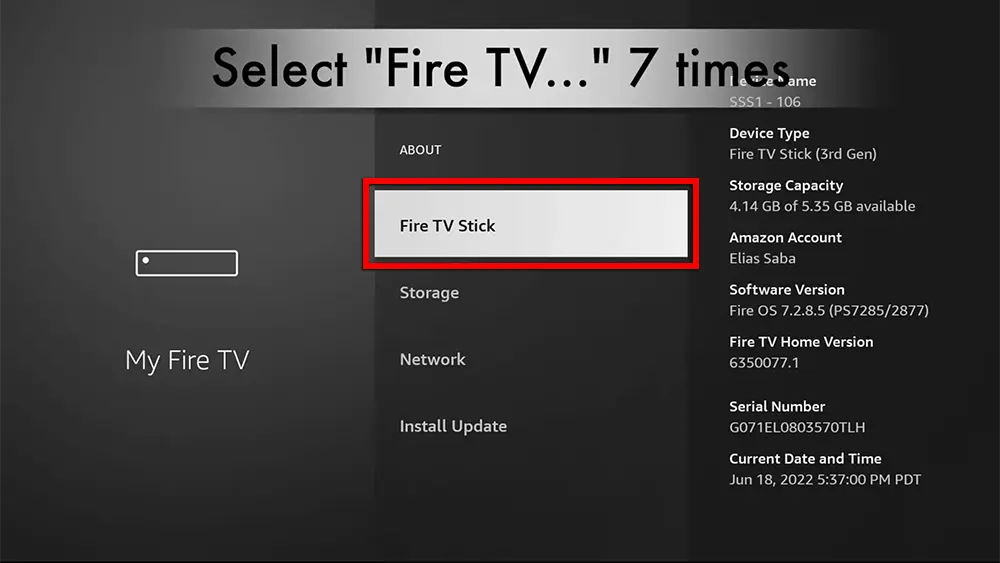
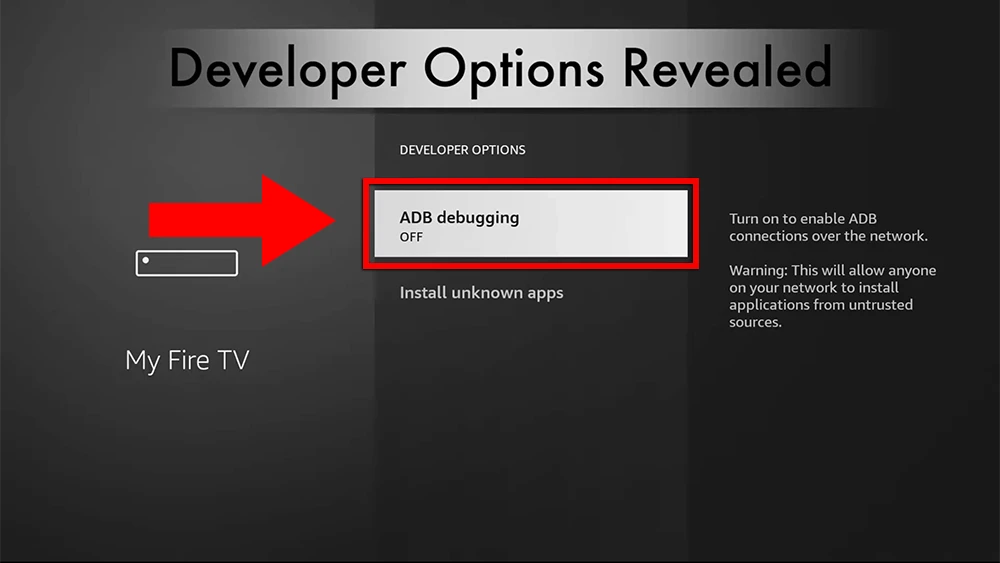
Choose Developer Options.
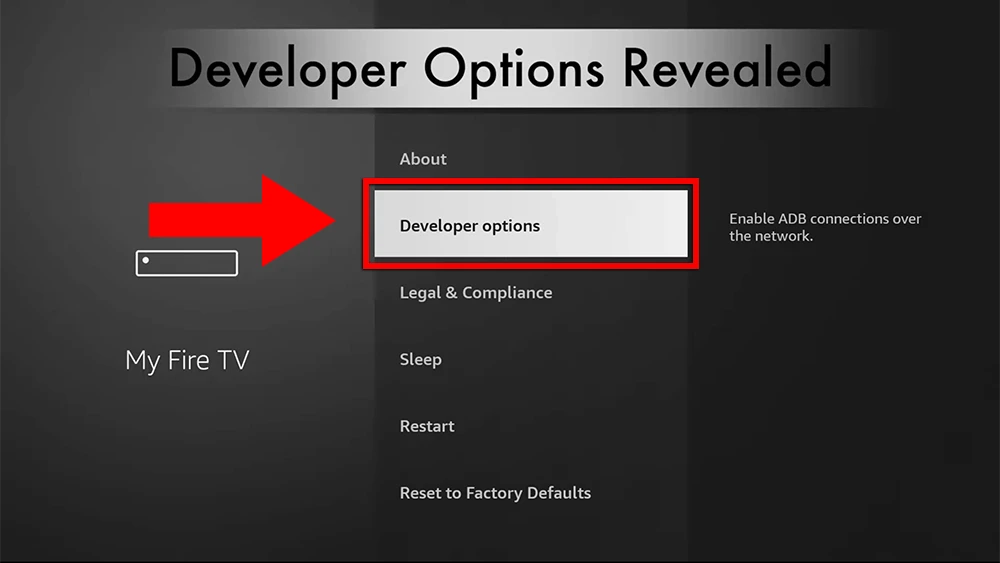
Turn ADB debugging to on if it's off.
Here are the popular Firestick apps

TiviMate is considered a paid app and it comes highly recommended for its advanced features (Recording, Picture-in-Picture...). With a single premium subscription, you can use the app on a maximum of 5 devices.
Learn More
The Ibo Pro Player is a streamlined IPTV app for streaming live TV, movies, and on-demand. It offers a 7-day free trial period before asking for a one-time payment.
Learn More
IPTV Smarters Pro is a free IPTV app to watch live TV, Movies & Series.
Learn More